
Never miss your
parking time.
Park, tap +1h, and get alerted before the meter runs out.
Get it free on the App StoreHow to use it
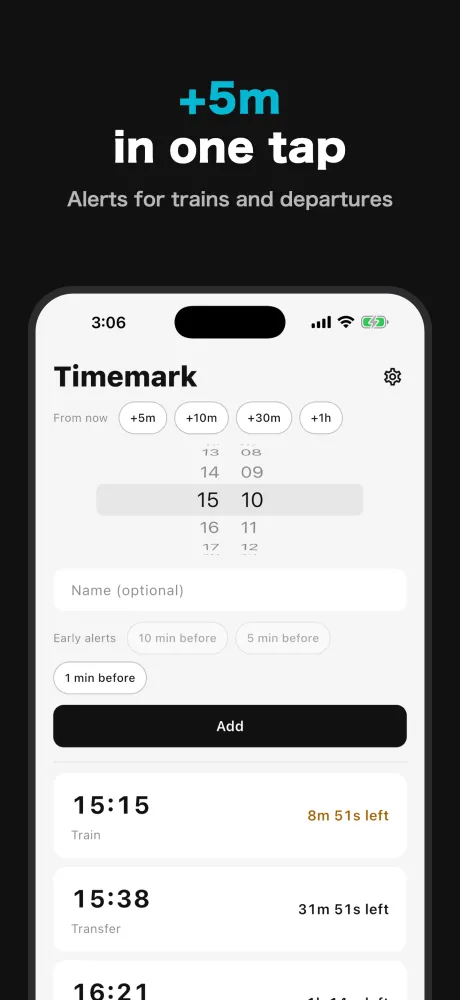
- When you park, open Timemark and tap +1h (or +30m for half-hour rates)
- Type a name like "Parking" and tap Add
- You get an alert at that time. The time left stays in the list
Why Timemark helps
No math needed
You set the time from now, so you don't have to work out when to be back at the car.
Hard to miss, even on silent
Alerts repeat 1 to 5 times so they stand out from message notifications (changeable in Settings).
Get a heads-up first
Early alerts 10 and 5 minutes before give you time to walk back.
Timemark PlusFAQ
Can I use it for 2 hours or 90 minutes?
Yes. Tap +1h, then turn the time picker to the exact time you need.
Does it alert me if I close the app?
Yes. Alerts are scheduled on your iPhone, so they arrive on time even when the app is closed.