
Get alerted 1 minute
before your stop.
Keep scrolling. Timemark tells you when to get off.
Get it free on the App StoreHow to use it
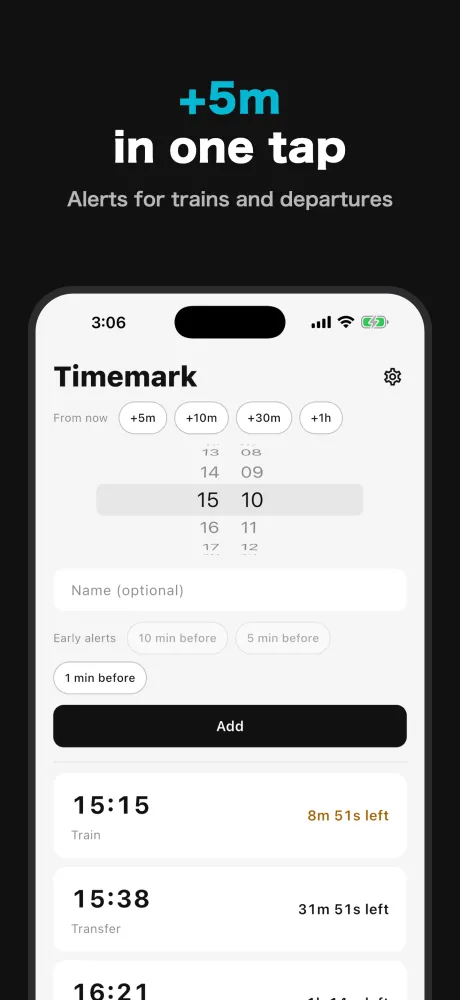
- After boarding, enter your arrival time (for example +10m) and type a name such as "Get off"
- Choose 1 min before and tap Add
- You get an alert one minute before you arrive
Why Timemark helps
Perfect timing to get ready
The alert comes one minute before arrival, just in time to stand up.
Timemark PlusVisible while you use other apps
The time left appears on your Lock Screen and in the Dynamic Island.
Timemark PlusHard to miss, even on silent
Alerts repeat 1 to 5 times so they stand out from message notifications (changeable in Settings).
FAQ
Are early alerts free?
Early alerts (10, 5 and 1 minute before) come with Timemark Plus, a one-time purchase. Alerts at the arrival time are free.
Can it keep me from sleeping past my stop?
Yes. Enter a time a little before your stop and Timemark alerts you then.
How is this different from a transit app?
Timemark doesn't look up timetables. You enter the arrival time you found in your transit app, and Timemark alerts you.